Verification and Validation
How Clear automatically verifies wipe operations, and how to view verification results.
The verification stage confirms wipe operations were executed correctly and meet defined compliance and integrity requirements. It ensures original data has been effectively removed and devices are safe for redeployment, disposal, or audit certification.
Verification is a critical step and required to validate that the applied wipe method achieved the intended result.
About device verification
After a wipe operation completes, Clear automatically performs verification:
- The system reads back data from the storage device.
- The data is compared against the expected wipe pattern (zeros, ones, or random data).
- The system confirms no original data remains.
This is fully integrated into the wiping workflow — no manual intervention required.
Each device is assigned a verification outcome:
- Successful — the data matches the expected wipe pattern.
- Failed — original or unexpected data is detected. This means the wipe is incomplete and doesn't meet compliance requirements.
If a locked device is not configured before wiping, sanitization or verification may fail.
Viewing verification results
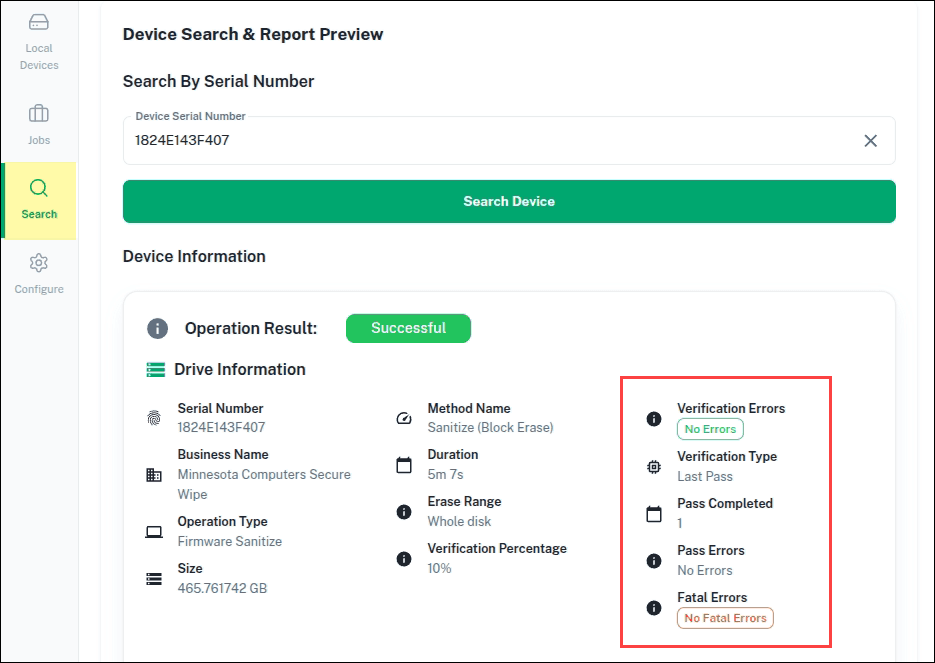
Click Search Device. The device information displays, including verification results and final wipe status.
If verification fails
Review device health and error logs. If verification fails, the drive is marked Terminated.