About Clear Portal
An introduction to Clear Portal, the web-based management console by Ninety Nine Technologies.
Clear Portal is a separate product
Clear Portal is a web-based management console. It is separate from the Clear desktop application documented under the Clear tab.
Welcome to the Clear Portal User Guide. This section explains how to monitor wipe activity and set up the projects, vendors, and integrations your organisation works with.
What is Clear Portal?
Clear Portal gives your organisation one place to:
- See users, licences, and wipe session results at a glance on the Dashboard.
- Review projects, system wipes, and directly wiped drives, and export them as CSV.
- Download certificates for a project.
- Create and manage projects and vendor profiles, including their wiping configuration.
- Connect an external system (such as AccountWise), a label printer, and choose which export columns appear in CSV files.
Portal navigation
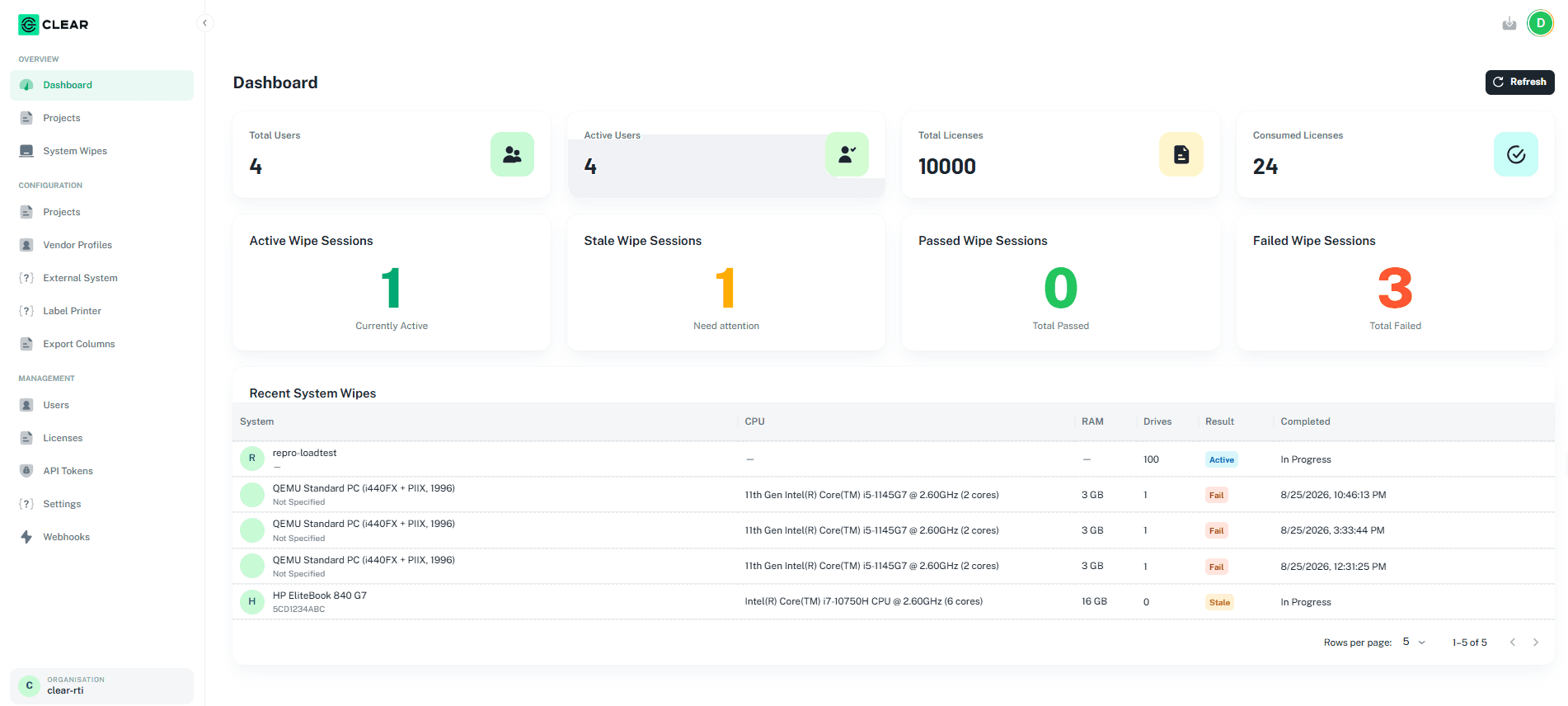
The portal menu on the left is organised into three groups. The organisation you are working in is shown at the bottom of the menu.
| Group | Pages |
|---|---|
| Overview | Dashboard, Projects, System Wipes |
| Configuration | Projects, Vendor Profiles, External System, Label Printer, Export Columns |
| Management | Users, Licenses, API Tokens, Settings, Webhooks |
Coverage
This guide currently covers the Overview and Configuration pages. Signing in and the Management pages will be added in a later update.
Where to start
Dashboard
Users, licences, and wipe session results at a glance.
Projects
Review a project's system wipes and direct drives.
Project Configuration
Create a project and set its wiping configuration.
Vendor Profiles
Add the vendors your projects belong to.
Recommended setup order
If you are setting up the portal for the first time, work through the Configuration pages in this order:
Need help?
For product inquiries, technical support, or licensing assistance, contact your designated project representative at Ninety Nine Technologies, LLC.