Dashboard
A summary of users, licences, wipe session results, and the most recent system wipes.
The Dashboard is the first page in the Overview group. It summarises activity across your organisation.
Opening the Dashboard
Click Dashboard under Overview in the portal menu. Click Refresh (top right) at any time to load the latest figures.
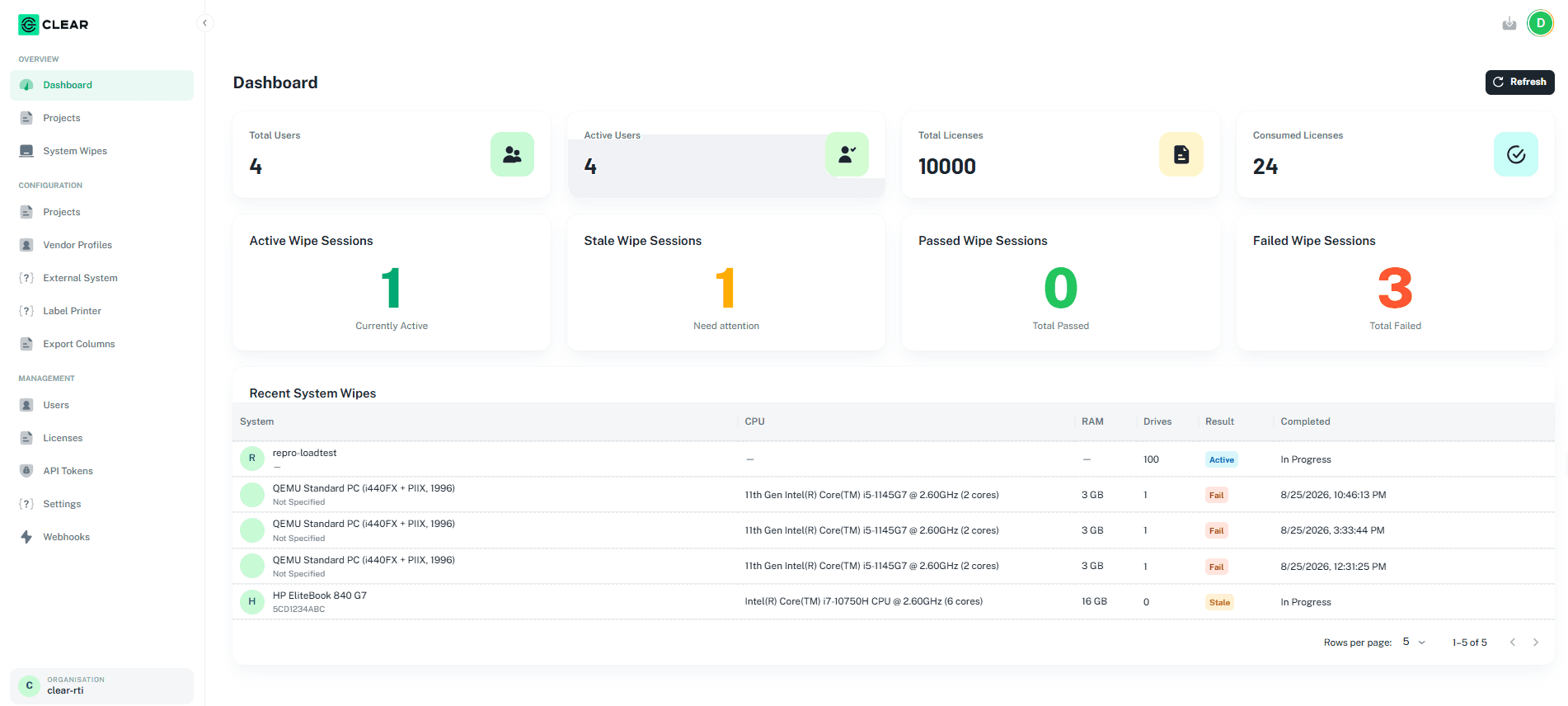
Users and licences
The top row of cards shows:
| Card | What it shows |
|---|---|
| Total Users | Number of users in the organisation. |
| Active Users | Number of users who are active. |
| Total Licenses | Licences available to the organisation. |
| Consumed Licenses | Licences already used. |
Wipe sessions
The second row counts wipe sessions by result:
| Card | Label | Meaning |
|---|---|---|
| Active Wipe Sessions | Currently Active | Sessions in progress. |
| Stale Wipe Sessions | Need attention | Sessions that need attention. |
| Passed Wipe Sessions | Total Passed | Sessions that passed. |
| Failed Wipe Sessions | Total Failed | Sessions that failed. |
Recent System Wipes
The Recent System Wipes table lists the latest system wipes with these columns: System, CPU, RAM, Drives, Result, and Completed.
- Result shows Active, Stale, Pass, or Fail.
- Completed shows the date and time, or In Progress if the wipe has not finished.
- Use Rows per page and the arrows at the bottom to page through the list.
To see every system wipe with filters and export, go to System Wipes.
Next: Projects