System Wipes
Review every system wipe across the organisation and export the list as CSV.
The System Wipes page lists every system wipe in your organisation, across all projects.
Reviewing system wipes
Click System Wipes under Overview in the portal menu.
Choose a result tab to filter the list: All, Active, Stale, Pass, or Fail. Each tab shows how many wipes it contains.
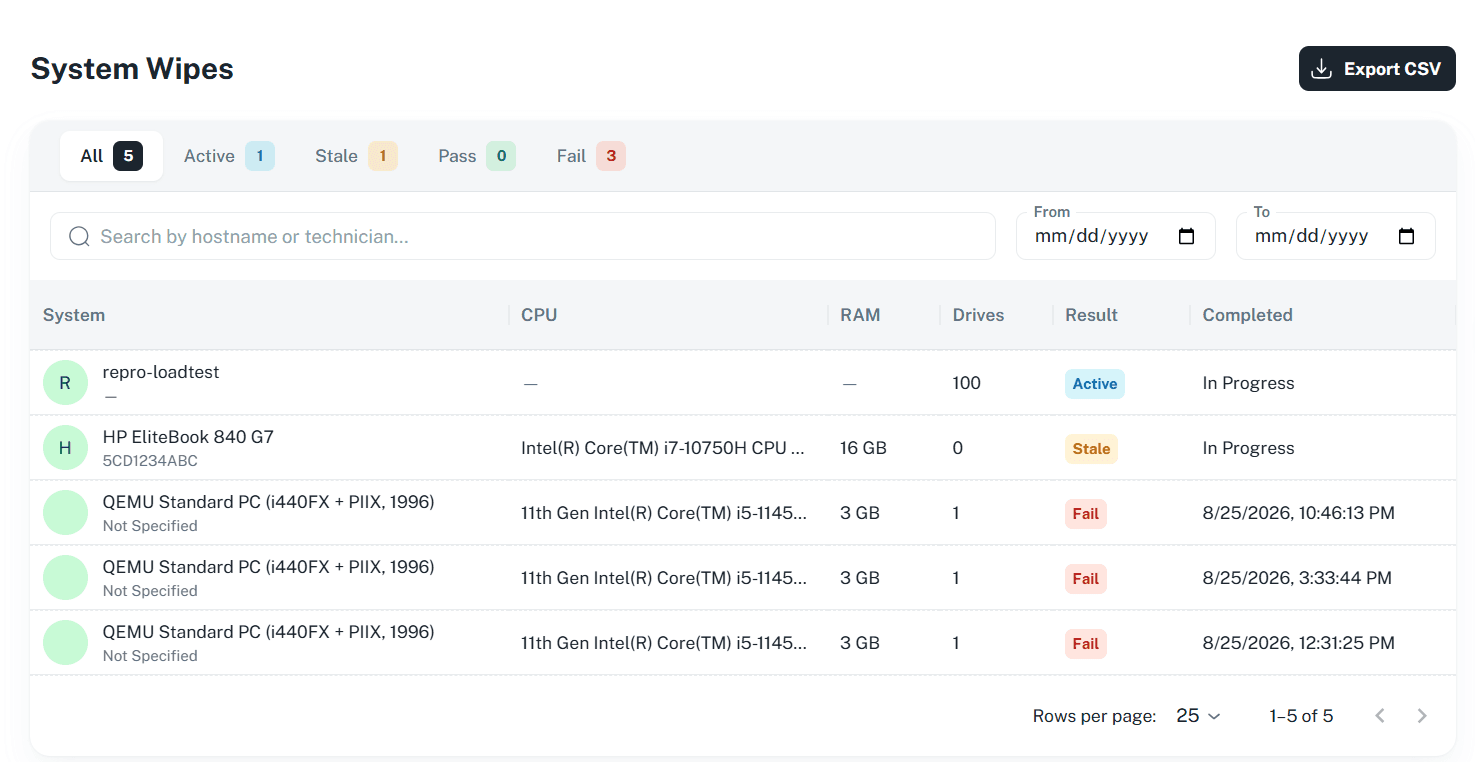
Search by hostname or technician, or set a date range with From and To.
Review the results. Each row shows System, CPU, RAM, Drives, Result, and Completed (the date and time, or In Progress).
Exporting system wipes
Click Export CSV in the top right to export the system wipes as a CSV file. The columns included are set on the Export Columns page.
Next: Project Configuration