Vendor Profiles
Add vendor profiles and set each vendor's wiping configuration.
A vendor profile represents a vendor your projects belong to, together with its wiping configuration. Every project is linked to a vendor profile.
The Vendor Profiles list
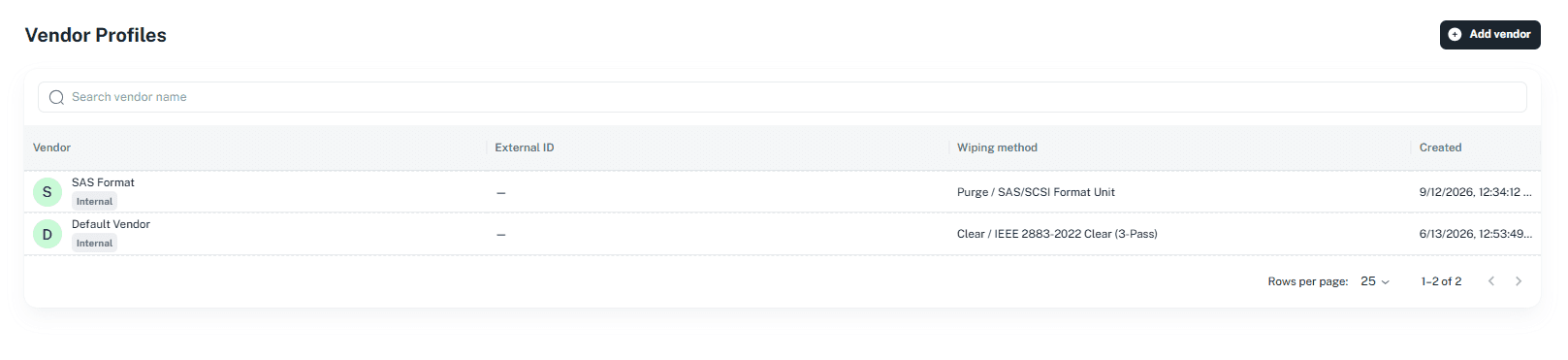
Click Vendor Profiles under Configuration in the portal menu. Search by vendor name, and review each vendor's Source (for example, Internal), External ID, Wiping method, and Created date.
Adding a vendor
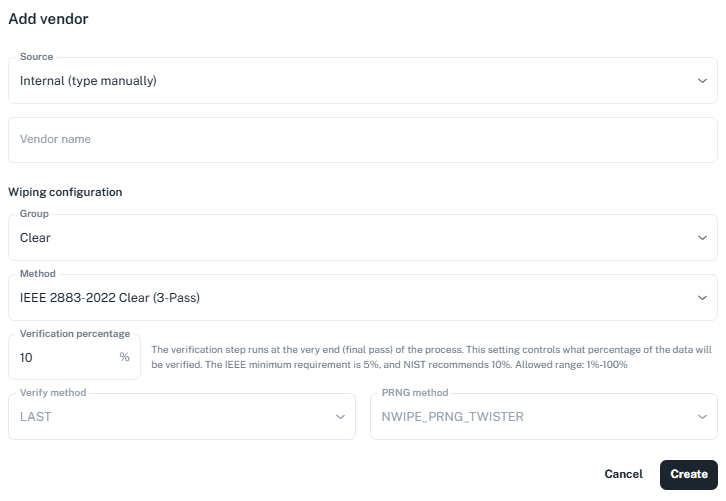
Choose the Source. Internal (type manually) lets you type the vendor name yourself.
Until an external system is connected, vendor profiles use manual entry. See External System.
Under Wiping configuration, choose the Group and Method.
Set the Verification percentage — the share of data checked in the final verification pass. The dialog notes that the IEEE minimum is 5% and NIST recommends 10%. The allowed range is 1%–100%.
The new vendor appears in the list and can be selected when creating a project.
Next: External System